
For a few years now, CoSchedule has been a core part of how we manage client work. In case you’re unfamiliar, Social Calendar by CoSchedule is an all-in-one social media planning tool that helps teams schedule posts, manage projects, and track content across platforms … all in one place.
While there’s always some flashy new tool on the horizon, CoSchedule has stood the test of time for our team — and it actually just keeps getting better!
Keep reading to find out why we love it, plus a few of the new, exciting features.
1. Easy-To-Use Calendar Views
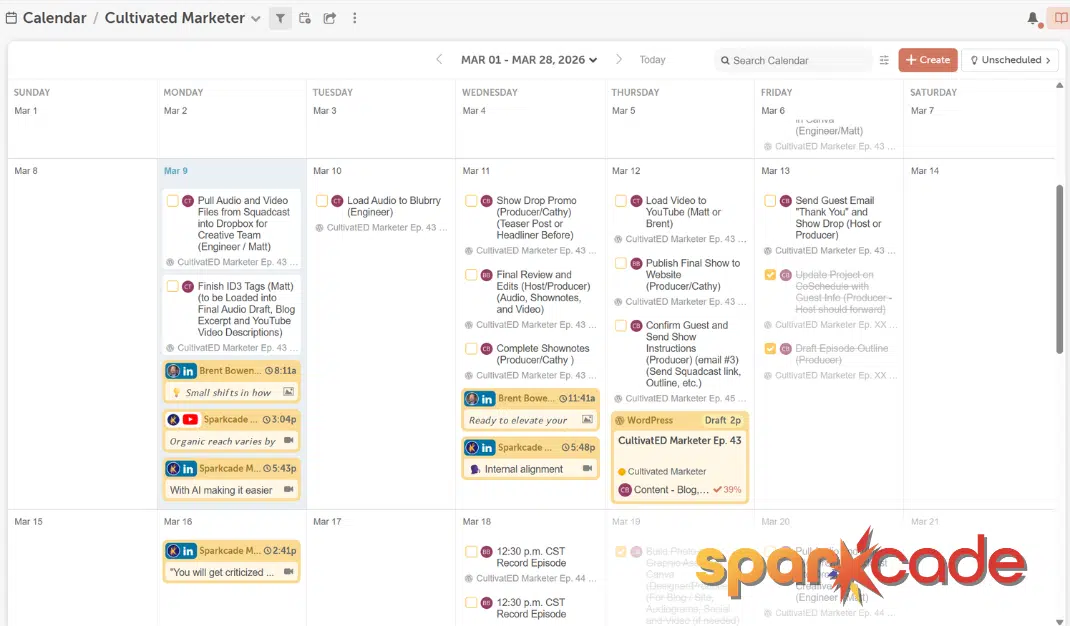
As a small agency, each of us has at least a small role on every client account. So without being hyper fixated on just one or two clients, we all are managing multiple projects, deadlines, and content needs all at once.
Luckily, CoSchedule’s calendar views let us build separate calendars for each client — while also giving the option to maintain one master view of all projects on another calendar.
Any team member can create a custom view using filters like project type, status, color label, or team member. It’s a simple concept, but it saves so much time in the long run. Nothing falls off the radar because everything lives in one place, organized the way we actually work.
2. Smart, Automated Social Scheduling
Creating and scheduling social posts inside CoSchedule is straightforward, but the ReQueue feature is what makes it genuinely low-maintenance. ReQueue automatically reshares your best-performing posts on a custom or suggested schedule.
While some types of content — like TikToks or Instagram Reels — can go viral weeks after they’re originally posted, this just isn’t the case for other platforms. Tweets (or whatever they’re called now that “X” has taken over) and Facebook posts typically only have a shelf life of a few hours, max, before they’re lost into the internet void.
ReQueue means your best content doesn’t just disappear … it keeps showing up for you without you having to think about it. Set it up once, and CoSchedule handles the rest. Automation = you getting to spend more time on strategy, not logistics.
3. The AI Assistant for Streamlined Social Campaigns
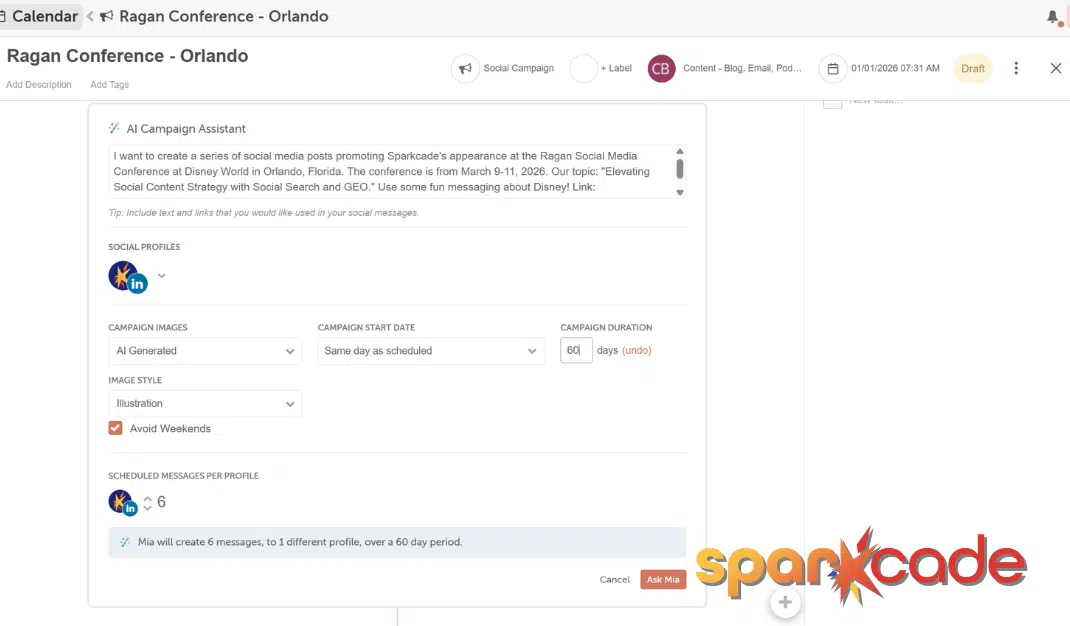
One of the best new features we’re loving is CoSchedule’s AI Campaign Assistant. This tool allows you to build an entire social media campaign in a few clicks. You choose the campaign length and platforms, provide a brief description or link, and then the tool will map out posting schedule, write platform-optimized copy, and schedule everything automatically.
Building a social campaign from scratch is one of those tasks that takes longer than it should, and this tool cuts that down significantly. It doesn’t replace the judgment calls (as always, you still need to review and adjust) but it handles the framework so you can focus on getting the exact messaging right.
4. Social Analytics Without the Headache
CoSchedule’s Insights Dashboards are another new tool, and they solve a real problem: knowing what’s working … without spending an hour pulling data from four different places.
The dashboards are customizable, and they’re built using AI prompts that surface the metrics most relevant to your goals. You can create separate dashboards by platform, client, or campaign, and compare performance across channels side by side.
As an agency managing multiple clients, the ability to keep that data clean and segmented is a lifesaver. And it’s not just a pretty reporting view — it comes with AI-powered recommendations you can actually act on.
5. Bulk Project Import: Skip the Manual Entry
When we bring on a new client, getting all of their projects and deadlines into CoSchedule quickly used to mean a lot of manual entry. But the Bulk Project Import feature just changed that!
You can export a CSV from tools like Google Sheets — or use CoSchedule’s own CSV template — and import up to 200 projects at once directly into your calendar. Projects with dates land on the calendar automatically; anything without a date goes to the Ideas Bin so nothing gets lost.
We recently used this while onboarding a new client, and it made the whole process so much more seamless. Tasks and deadlines were uploaded in minutes, and our team members could immediately see everything they needed to hit the ground running.
We’ve covered just five features here, but CoSchedule is capable of much more than what fits in a blog post. The more you use it, the more it clicks … whether you’re using it purely for social scheduling or leaning into it as a full project management tool like we do.
Leave A Comment